
Home | Need Help? | Archives
August 6, 2013 6:48 pm
As you know WordPress has released version 3.6 with the name “Oscar” and they selected Twenty Thirteen theme its default theme. Here i have shared some css modifications hope it will help you to give your Twenty Thirteen theme a new look.
1.If you want to change the Top Header Font size,font color,font family in Twenty Thirteen theme use the following css
#masthead .site-title {
color: blue;
font-family: georgia;
font-size: 42px;
font-weight: bold;
}
2. If you want to change the Site Description Font size,font family and color in Twenty Thirteen theme use this code
.site-description {
color: #000000 !important;
font: italic 300 16px georgia !important;
}
***** If you want to remove the Site Description text use this
.site-description {
display: none;
}
3. If you want to change the Top Header Background image of Twenty Thirteen Theme
*** You can do it from “Appearance–>Header”
but here i am sharing you the css to do it directly
.site-header {
background: url(“http://s1.wp.com/wp-content/themes/pub/twentythirteen/images/headers/circle.png “) no-repeat scroll center top / 1600px auto transparent !important;
}
*** change the image url using your one
the default header image of WordPress Twenty Thirteen theme is 3200px in width and 460px in height
4. If you want to reduce the height of Header portion use this
.site-header .home-link {
min-height: 133px !important;
}
4. If you want to use a background color behind the Navigation menu in twenty thirteen theme
.navbar {
background-color: pink !important;
}
5. If you want to change the hover background color of the menu in twenty thirteen theme
.nav-menu li a:hover {
background: red !important;
color: white !important;
}
6. If you want to change Sub Menu or children menu’s background color
.nav-menu .sub-menu, .nav-menu .children {
background-color: green !important;
}
7. If you want to change menu’s font color,font size,font family in twenty thirteen theme
.nav-menu li a {
color: #141412;
font-family: georgia;
font-size: 15px;
}

/*********************Home Page Contents**********************/
8. If you want to change home page posts (when all posts are showing in homepage) title,font size and font family in twenty thirteen theme
.entry-title a {
color: olive;
font-family: cursive;
font-size: 34px;
}
9. If you want to remove the Homepage Posts meta Date,category lists and tags under post title
.entry-meta {
display: none;
}
10. If you want to remove either date or Category meta from under post
***** if you want to remove only category links
.entry-meta .categories-links {
display: none;
}
*** If you want to remove only date meta
.entry-meta .date {
display: none;
}
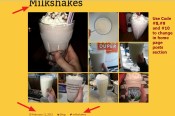
/********************************************************/
11. If you want to change the footer brownish background color of Twenty Thirteen theme
.site-footer .sidebar-container {
background-color: black;
}
12. If you want to change the footer widget’s link color,font family and font size of Twenty Thirteen Theme
.site-footer .widget a {
color: white;
font-family: cursive;
font-size: 13px;
}
13. If you want to change sidebar widget’s link color,font size and font family of twenty thirteen theme
.widget a {
color: blue;
font-family: cursive;
font-size: 13px;
}
14. If you want to change Sidebar Widget Title font color, Title Background, font size etc
.widget .widget-title {
background: none repeat scroll 0 0 red;
color: white;
font: italic 300 20px cursive;
margin: 0 0 10px;
text-align: center;
}
15. If you want to change the font size,color and font family of “Continue Reading” of Home page posts
.entry-content a, .comment-content a {
clear: both;
color: blue;
display: block;
font-family: cursive;
font-size: 19px;
}
16. If you don’t want to show “Leave a comment” from the bottom of each post of homepage
.format-standard footer.entry-meta {
display: none;
}
17. For pages, if you want to change the color,font size and font family of Page Title of Twenty Thirteen theme
.page .entry-title {
color: gold;
font-family: cursive;
font-size: 35px;
font-weight: normal;
margin: 0 0 5px;
}
18. If you want to change font size and font family of Pages content of Twenty Thirteen theme
.entry-content {
font-family: cursive;
font-size: 14px;
}
19. If you don’t want to remove comments facility from Pages of twenty thirteen theme
#comments {
display: none;
}
20. If you want to remove the Featured Image just above the sticky post of Twenty thirteen them
.sticky .entry-thumbnail {
display: none;
}
21. If you want to change Homepage Sticky Posts font family and font size
.sticky .entry-content {
font-family: times new roman;
font-size: 18px;
}
22. if you want to remove the Featured image from the top of single post page
.single-post .entry-thumbnail {
display: none;
}
23. If you want to change single post page Title font color, font size etc
.single-post .entry-title {
color: red;
font-size: 34px;
}
24. If you want to change font color, size and font family of Next and Previous post title (bottom of single post page)
.post-navigation .nav-links a {
color: darkred;
font-size: 18px;
font-family: cursive;
}
If you have any issue feel free to ask me question here in comments section

Posted by allaboutbasic
Categories: Web Development & WordPress
Tags:
Mobile Site | Full Site
Get a free blog at WordPress.com Theme: WordPress Mobile Edition by Alex King.

I posted this question on your 2012 theme – sorry!
How to amend the content width in the Twenty Thirteen theme? I’ve managed to do that a bit in my site, but although it looks OK on the PC screen, it is not good at all on an iPad. Is it as simple as the CSS changes you outline for Twenty Twelve?
Steve
LikeLike
By Steve Heap on August 12, 2013 at 8:33 pm
Hi Steve
thanks… can u share me ur site url where u using the Twenty Thirteen theme?
Om
LikeLike
By allaboutbasic on August 13, 2013 at 1:08 pm
It is http://www.mwcc-photo.org
Steve
LikeLike
By Steve Heap on August 13, 2013 at 1:30 pm
Steve
better wrap your code with the following
@media only screen (max-width: 800px) {
Your css code will be here
}
Om
LikeLike
By allaboutbasic on August 13, 2013 at 6:18 pm
Second question – related in a way as this search button overlaps the menu when using an iPad – how can I remove the search icon/function from the menu bar?
Steve
LikeLike
By Steve Heap on August 13, 2013 at 2:29 pm
Hi Steve
to remove the Search Button in your Twenty Thirteen theme you can try this
nav form {
display: none;
}
Om
LikeLike
By allaboutbasic on August 13, 2013 at 6:20 pm
Hey guys,
this one works too:
.site-header .search-form {
display: none;
}
LikeLike
By them8z on August 22, 2013 at 3:10 pm
Great – both of your suggestions worked! Donation on its way….
Steve
LikeLike
By Steve Heap on August 13, 2013 at 6:53 pm
Pleasure Steve
:)
Om
LikeLike
By allaboutbasic on August 14, 2013 at 3:49 am
Om
A related question if I may. I’ve got a couple of pages where I didn’t want the sidebar to appear and so I created a new file called no-sidebar.php (I think based on page.php) and added:
To the code in that page. That works fine. But what I really wanted to do was for the content (a calendar and a forum) to expand across the page to fill the area that the sidebar used to occupy. How do I do that?
Steve
LikeLike
By Steve Heap on August 15, 2013 at 8:22 pm
Hi Steve
can u share me the page where u tried to implement that Calendar or Forum to span full width?
Om
LikeLike
By allaboutbasic on August 15, 2013 at 8:31 pm
http://www.mwcc-photo.org/forum/
LikeLike
By Steve Heap on August 15, 2013 at 9:49 pm
HI Steve
pls check this
.page-id-68 .entry-content {
width: 100%;
padding-right: 0px !important;
}
Om
LikeLike
By allaboutbasic on August 16, 2013 at 4:19 am
I tried that – no change to the forum page, So I tried on the calendar page instead (http://www.mwcc-photo.org/calendar/) but again no effect that I could detect.
Steve
LikeLike
By Steve Heap on August 16, 2013 at 9:16 pm
Hi Steve
the code should work
.page-id-68 .entry-content {
padding-right: 0px !important;
width:100%;
}
would u mind to check it pls
Om
LikeLike
By allaboutbasic on August 16, 2013 at 9:22 pm
Sorry – I waited a little time (thought that holding CTRL and refreshing the window reloaded CSS…) but now it works
Steve
LikeLike
By Steve Heap on August 16, 2013 at 9:24 pm
Right .. the code should work.. u were viewing the cached version of the page before i think
Om
LikeLike
By allaboutbasic on August 16, 2013 at 9:25 pm
Hi – can you tell me how to change the color of the active menue item please?
LikeLike
By Frank Bauer on August 26, 2013 at 10:48 am
Found it: .nav-menu .current_page_item > a, .nav-menu .current_page_ancestor > a, .nav-menu .current-menu-item > a, .nav-menu .current-menu-ancestor > a {
color: #888888;
}
LikeLike
By Frank Bauer on August 26, 2013 at 4:26 pm
Hi Frank
thanks… nice to know u got it before my checking :)
Om
LikeLike
By allaboutbasic on August 26, 2013 at 4:32 pm
Hello again :) Can you tell me how to center the menue? Big Ups in advance – Frank
LikeLike
By Frank Bauer on August 28, 2013 at 8:27 am
Hi Frank
would u mind to share me ur site URL where u want to make the menu centered?
Om
LikeLike
By allaboutbasic on August 28, 2013 at 12:48 pm
Her we are: http://hudsonmainholdings.com/wordpress/
LikeLike
By Frank Bauer on August 28, 2013 at 12:51 pm
Hi Frank
pls try this
#site-navigation {
width: 50%;
}
if u increase the menu items then just increase the width value
Om
LikeLike
By allaboutbasic on August 28, 2013 at 1:05 pm
Thanx – works fine. :)
LikeLike
By Frank Bauer on August 28, 2013 at 2:09 pm
IHi,
I just want to remove the tags:
The following does not work
.tag-links {
display: none;
}
Any suggestion?
PS. I’m inserting these in a child style.css file
LikeLike
By 3reesthrees on September 2, 2013 at 5:22 pm
Hi
can u share me ur site url to check pls
OM
LikeLike
By allaboutbasic on September 2, 2013 at 6:28 pm
Sure:
http://sabbah.biz/mt/
Thanks in advance…
LikeLike
By 3reesthrees on September 2, 2013 at 6:46 pm
Hi
pls check this
.entry-meta .tags-links {
display: none !important;
}
Om
LikeLike
By allaboutbasic on September 2, 2013 at 7:37 pm
It worked! I’ve googled for more than 4 hrs until I got here.
Thanks a million.
It seems “!important” is important :)
Just a quick question. Any idea how I can add “read more” link to the end of the excerpt on the front page? I don’t like using thing because I prefer the excerpt box. I found the following tutorial, the thumnail thing worked, but not the “continue reading/read more” thing:
http://www.orclage.com/wordpress-twenty-thirteen-theme-post-excerpts/
Thanks in advance.
LikeLike
By 3reesthrees on September 2, 2013 at 7:52 pm
Hi
as it is not css issue..i will need login details to check ur dashboard
Om
LikeLike
By allaboutbasic on September 2, 2013 at 7:54 pm
Dear Sir,
I would like to change the colour of the background strip at the bottom wherein ‘older posts’ and ‘newer posts’ are displayed.
I would also like to change the text of ‘older posts’ and the font, size etc.
I am using a Child Theme and my level of expertise is intermediate. Could I include some code into style.css to adjust these values? Or is there another way for me to change this?
Thanks.
Best Regards,
Filip
LikeLike
By filipek88 on September 4, 2013 at 8:33 am
Hi Filip
would u mind to share me ur site url pls?
Om
LikeLike
By allaboutbasic on September 4, 2013 at 6:11 pm
Hi,
http://188.121.54.43/
I would also like to adjust the same ‘strip’ that is displayed on the search results page. I have a feeling that it could be something similar to edit. Would be great if you would know how to do this.
Thanks,
Filip
LikeLike
By filipek88 on September 5, 2013 at 6:01 am
I managed to change the background colour by copying this .paging-navigation {
background-color: #e8e5ce;
padding: 40px 0;
}
from my style.css into my Child Themes style.css.
Now still looking for a way to adjust the styling of the arrows (older vs. newer posts) and the search results page
LikeLike
By filipek88 on September 5, 2013 at 7:30 am
HI Filip
can u share me screenshot image about the Strip u r asking pls?
Om
LikeLike
By allaboutbasic on September 5, 2013 at 8:56 am
Hi,
Hereby the screenshot. I would like to change this page (the brown/grey strip behind ‘Nothing Found’ plus the text ‘Nothing found’ (font, size, colour)
Here you can see a screenshot of what I mean.
Thanks,
http://postimg.org/image/8ivi4j6g1/
LikeLike
By filipek88 on September 5, 2013 at 9:16 am
HI Filip
ok..but..where u want to use the strip?
or..what type of change u want in Font,size and color ?
Om
LikeLike
By allaboutbasic on September 5, 2013 at 10:36 am
Actually I would like to adjust the background colour of the strip. Now it is brownish, and I would like to make it white. Would you know where I can find this element so I can edit the CSS styling?
LikeLike
By filipek88 on September 5, 2013 at 10:52 am
Right
here is the full code
.page-header {
background-color: #679A2C;
}
Om
LikeLike
By allaboutbasic on September 5, 2013 at 11:25 am
Hi,
I think I found my way by using this code:
.page-header and I adjusted the style.css in my Child theme.
Appears to be fine now.
Thanks for the help, sorry for asking so many questions.
LikeLike
By filipek88 on September 5, 2013 at 10:59 am
Hi,
Just found your site and think it is great. I am helping a friend with her company’s site and need some help. I want to make some CSS changes to the 2013 theme, but was wondering do I need to create a child theme first?
I would like to change things like–nav menu hover color, nav menu background color, nav menu text color.
here is the site:http://hallmarkemblems.com/
TIA,
Angie
LikeLike
By freshprintz on September 25, 2013 at 11:14 pm
Hi Angie
yes..it would better to create a child theme first to do such changes
Om
LikeLike
By allaboutbasic on September 26, 2013 at 5:34 am
Hi Om, I messaged before but comments are gone? There are a few things I need a hand with and happy to donate. dev.admireflorist.co.nz make the header responsive and not cut off, change footer text from white to something else, remove the gap between nav bar and header. Cheers!
LikeLike
By Nick Little on October 23, 2013 at 12:31 am
Hi Nick
thanks..not sure what happened..just got ur comments
would u mind to try this
For site header
.site-header {
background: url(“http://dev.admireflorist.co.nz/wp-content/uploads/2013/09/cropped-dsfghh1.jpg”) no-repeat scroll center top / 100% auto transparent !important;
}
for footer font
pls check this
footer .widget,footer .widget h3 {
color: black !important;
}
pls let me know is that something u r asking?
Om
LikeLike
By allaboutbasic on October 23, 2013 at 5:03 pm
Thanks Om! Footer text is great. I had to remove the ” ” around the bg URL as it was encoding it weird and not finding the image. Works now! Responsive. But now, there’s a huge gap between bottom of header and top of nav bar? Have you got much experience with facebook plugins? I having issues with my photo galleries on that site. Can you view it ok? Cheers
LikeLike
By Nick Little on October 23, 2013 at 6:01 pm
Hi Nick
pls check this to remove the gap
.site-header .home-link {
height: 194px !important;
min-height: 194px !important;
}
and..would u mind to clarify
1. what plugins issue u r facing
2. what type of map line up u want?
i will inform u in my evening
Om
LikeLike
By allaboutbasic on October 24, 2013 at 2:51 am
Also how to make the map and contact form line up more evenly?
LikeLike
By Nick Little on October 23, 2013 at 6:04 pm
Hi,
nice CSS tweaks – but where do I put these? At the end of style.css?
Greetz, K
LikeLike
By Karsten on October 25, 2013 at 2:00 pm
Hi Karsten
right..either at the end of style.css or custom css (if any)
Om
LikeLike
By allaboutbasic on October 25, 2013 at 6:30 pm
What a great post! But I didn’t find the solution I am looking for. So I am posting it here. I have recently added a background image on my twenty thirteen theme and the text doesn’t show up properly. I want to add a white background/ transparent so that both image and text shows up. If you want to check: http://wentworthcondocorporation.ca/
I hope you have solution for this one.
LikeLike
By Sulabh Sharma on October 15, 2016 at 9:26 am
HI Sulabh
thanks
would u mind to try this ( transparent background color to show background image too)
.home article {
background: rgba(255,255,255, 0.8) !important;
}
is that something you are asking?
Om
LikeLike
By allaboutbasic on October 15, 2016 at 9:31 am
Many years later and this excellent post is still helping people. I’m redoing a few of my olde sites and decided to use Twenty Thirteen as my basis. Great blog theme and still gets updated!!
I’ve played with a few of your suggestions (I assume you know you have two number 4’s?) and they have been helpful. Been ages since I did any CSS so this is a nice refresher.
What I would really like to do is move the meta (Date, Categories, Tags etc) under the Post content rather than before it? Is there a simple way to do this? Perhaps even keep Date on top and rest under?
Much love.
https://doublepepperoni.com as an example site
LikeLike
By Michael Quinn on April 16, 2021 at 8:44 am
Hi Michael, that can be done, but for this theme file need to be modified. Only css cant help properly
Regards
Om
LikeLike
By allaboutbasic on April 16, 2021 at 8:54 am
Thanks Om. Saves me trying to do it :)
Would you be able to recommend a resource that could help me along?
LikeLike
By Michael Quinn on April 16, 2021 at 10:07 am
Trying to change the font (size, color) of the titles in list of “previous posts” displayed in “previous posts block” in twenty thirteen. I cannot seem to find where to change this. Surely this would be simple?
From Inspect: a class=”wp-block-latest-posts__post-title”
LikeLike
By yvonnehaugen on March 18, 2026 at 4:58 pm
Hi yvonnehaugen
would you mind to share me your site url to check please?
Regards
Om
LikeLike
By allaboutbasic on March 18, 2026 at 5:17 pm
Thank you for your communitation and quick response – I just now found an easy way to edit the font in the block, so I thought I should share it here in case someone else need this: I found the following method (posted by Carrinarusso on wordpress.org):
Use custom css, Customizer –> Additional CSS:
.wp-block-latest-posts .wp-block-latest-posts__post-title {
display: block;
font-size: var(–wp–preset–font-size–medium);
font-weight: 600;
margin-bottom: 10px;
font-size: 12px;
}
Thank you
LikeLike
By yvonnehaugen on March 19, 2026 at 4:06 pm
Great
LikeLike
By allaboutbasic on March 19, 2026 at 4:08 pm