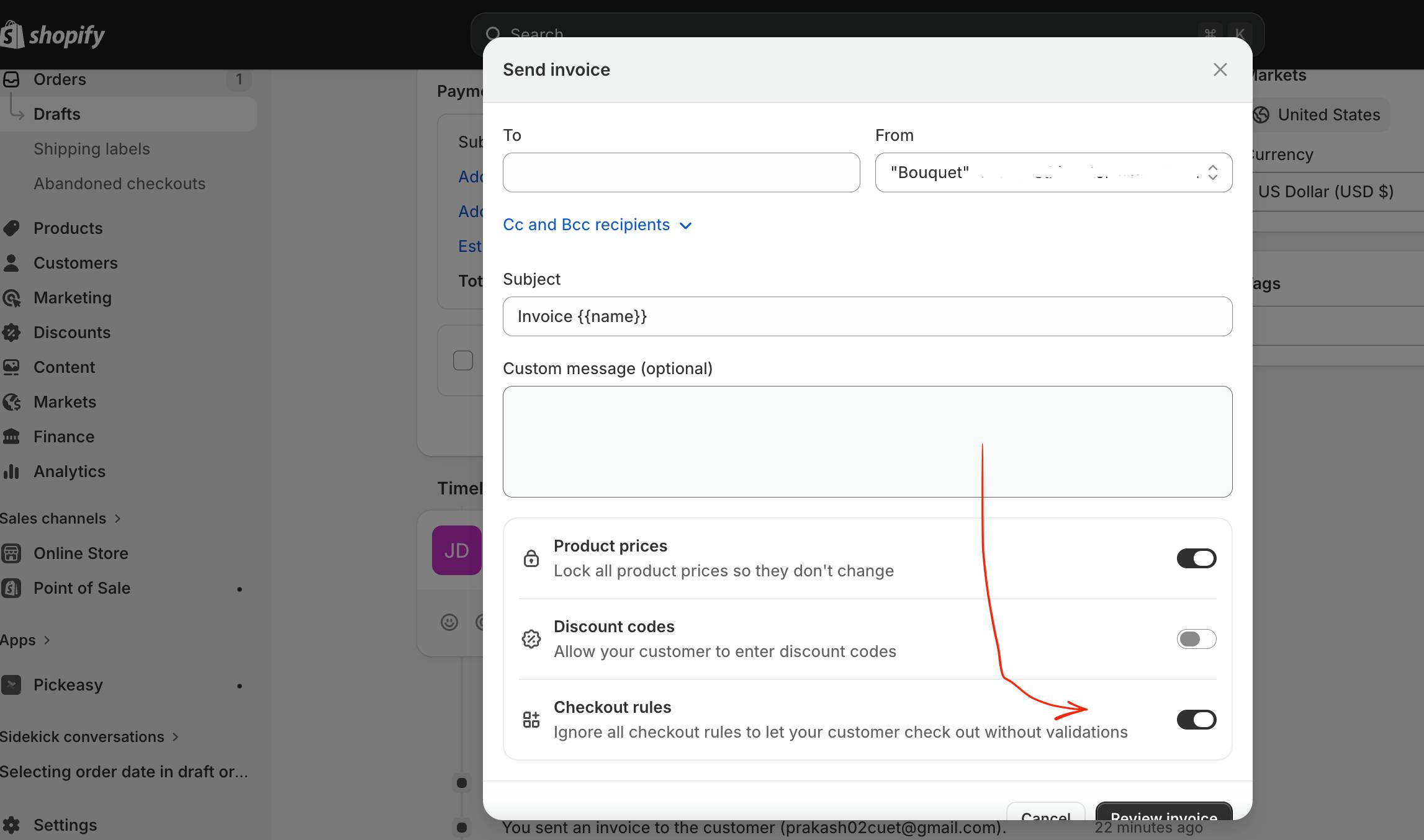
One of my client was trying to send customer manual invoice through mail he was facing a problem, a third-party apps like Pickeasy was adding checkout validation rules and asking a delivery date or time which was blocking customer from completing payment when they click your invoice link.
After checking I found Shopify has a built-in solution hiding inside the Send Invoice dialog.
How to Bypass Checkout Rules When Sending an Invoice
You can bypass checkout rules using the following steps in shopify
- Open your draft order and click Send Invoice
- In the Send Invoice dialog, scroll down to the bottom
- You will see a toggle labeled “Checkout rules” with the description: “Ignore all checkout rules to let your customer check out without validations”
- Turn this toggle ON
- Review and send your invoice as normal
Enabling the mentioned option, customer can complete payment without being blocked by any app validation rules, including Pickeasy’s date/time requirement.

 All About Basic