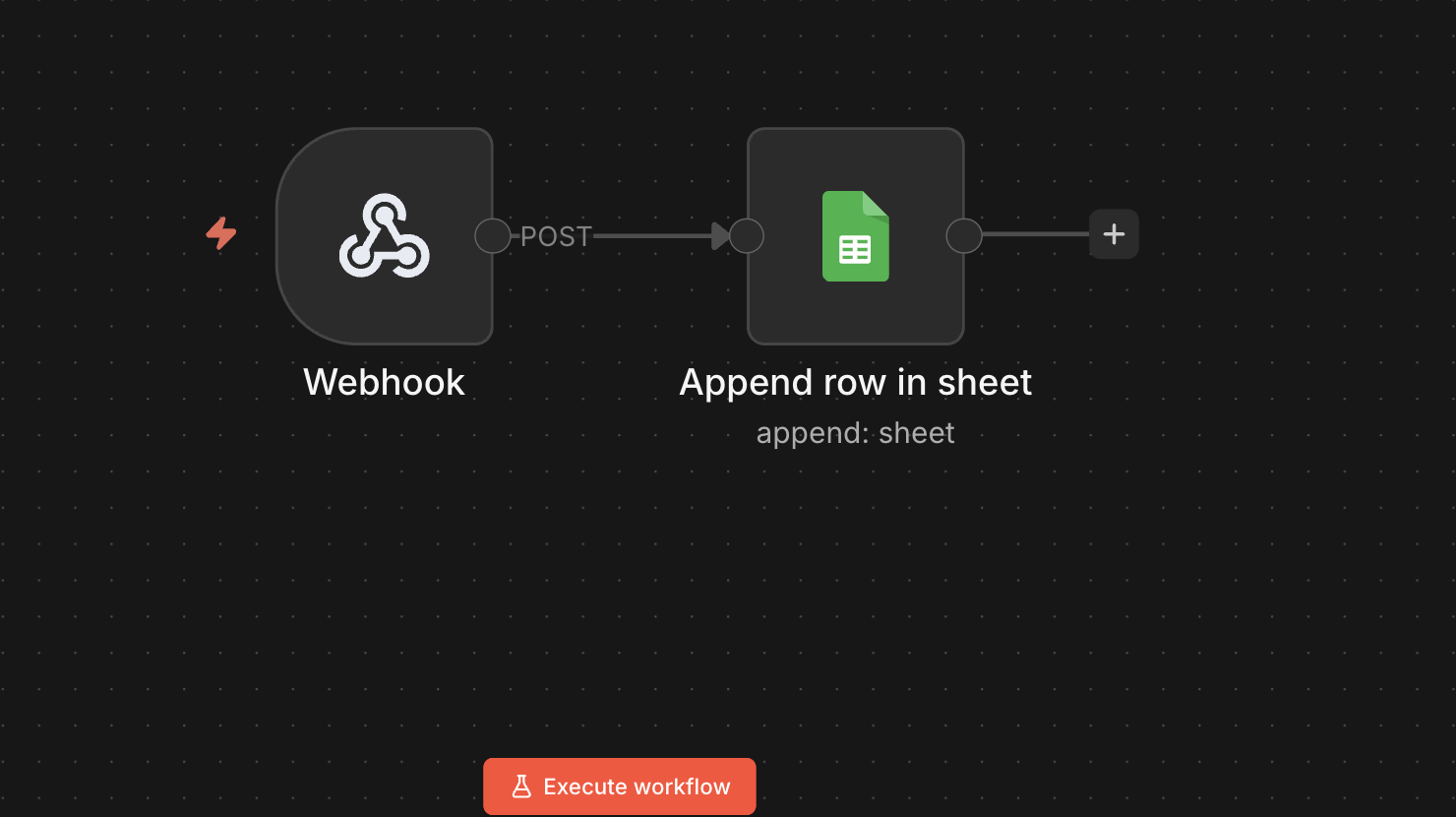
I have tried to create a small automation using n8n where I have tried to save post comments of my WordPress blog posts directly into google sheet. I have used n8n to implement this.
In the workflow, I have used webhook which receive information when posts get any new comments and Append row in sheet helps to append that comment in a new row of google sheet.
The code used to send comments data to the webhook is given below .
add_action('wp_insert_comment', function($comment_id, $comment) { $data = [ 'author' => $comment->comment_author, 'email' => $comment->comment_author_email, 'content' => $comment->comment_content, 'post' => get_the_title($comment->comment_post_ID), 'date' => $comment->comment_date ]; wp_remote_post('https://n8n.example.com/webhook/wp-comment', [ 'method' => 'POST', 'body' => json_encode($data), 'headers' => [ 'Content-Type' => 'application/json' ], ]);}, 10, 2);
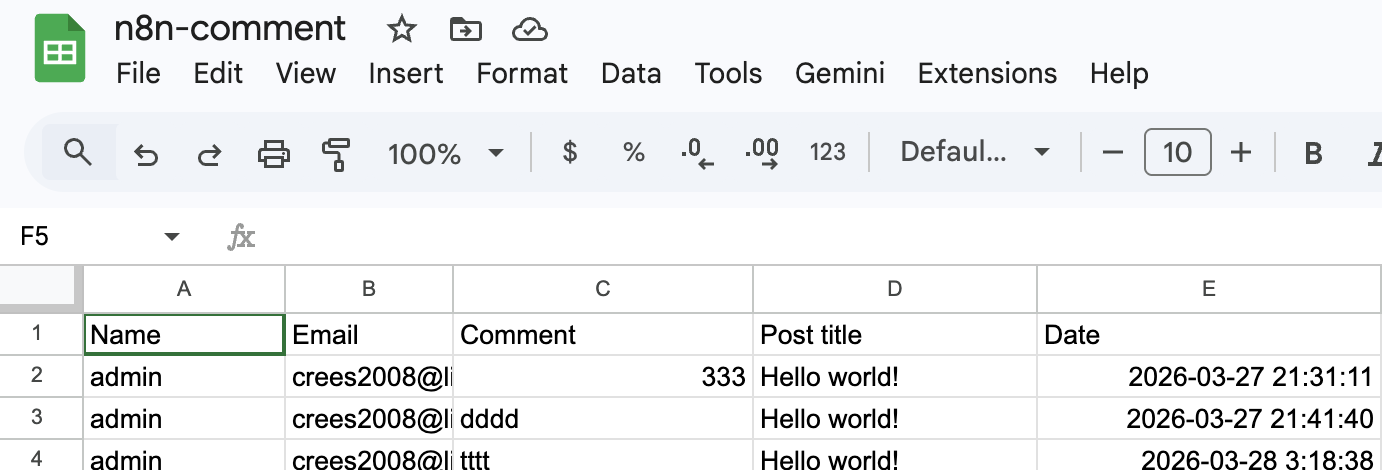
To configure the Append Row in Sheet I had to enable the API’s for google drive and google sheet. After the configuration done, when I did test comments in my post, it is saving directly in google sheet with the following fields: Name, Email, Comments, Post title and Date as shown in the screenshot below:

 All About Basic