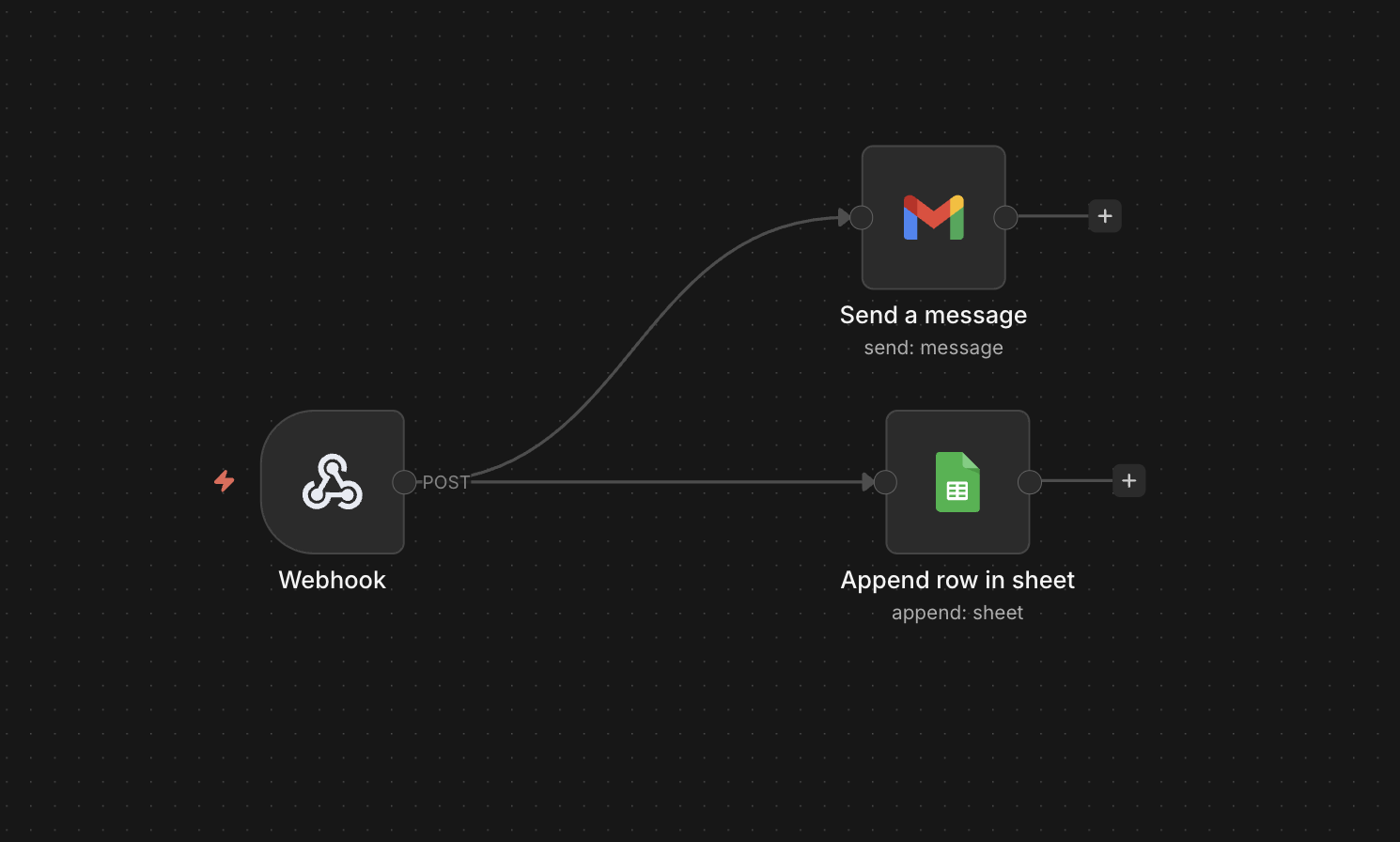
So I have tried to create another small automation for Contact Form 7 where the submitted form data will be saved directly in a google sheet and also will send a mail to admin.
This approach can be a solution for DigitalOcean droplet where hosting does not allow or block send mail or email functionality of PHP .
Here I have used Webhook to receive data from contact form 7 in this format
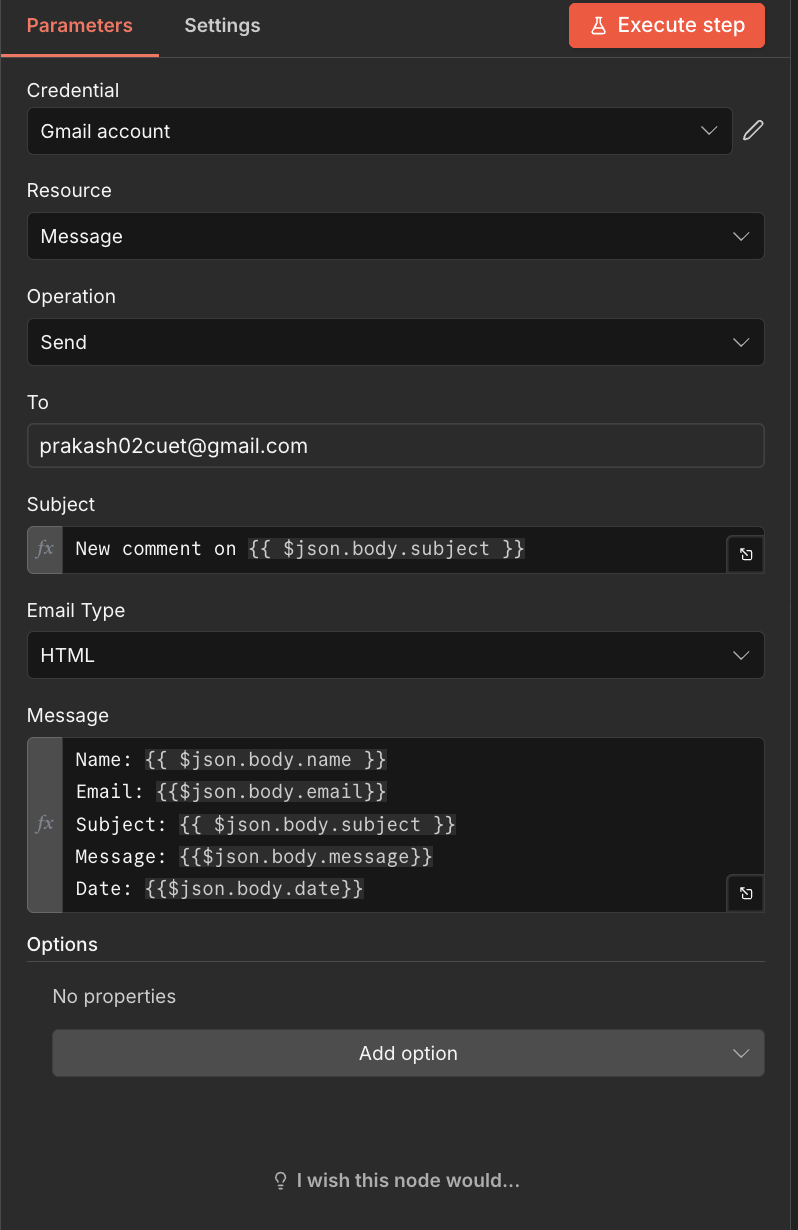
{{ $json.body.name }}{{$json.body.email}}{{ $json.body.subject }}{{$json.body.message}}{{$json.body.date}}
To send these info from contact form 7 to webhook I had to use the following php code in functions.php file
add_action('wpcf7_mail_sent', function($contact_form) { // Get form submission instance $submission = WPCF7_Submission::get_instance(); if (!$submission) { return; } // Get posted data $data = $submission->get_posted_data(); // Prepare payload $payload = [ 'name' => isset($data['your-name']) ? sanitize_text_field($data['your-name']) : '', 'email' => isset($data['your-email']) ? sanitize_email($data['your-email']) : '', 'subject' => isset($data['your-subject']) ? sanitize_text_field($data['your-subject']) : '', 'message' => isset($data['your-message']) ? sanitize_textarea_field($data['your-message']) : '', 'date' => current_time('mysql') ]; // Send to n8n webhook wp_remote_post('https://n8n.example.com/webhook/contact-form', [ 'method' => 'POST', 'body' => json_encode($payload), 'headers' => [ 'Content-Type' => 'application/json' ], 'timeout' => 15, ]);}, 10, 1);
Webhook then sends these data to two blocks
1) Send a Message block , which I had to configured by enabling google mail api
2) Append row in sheet, which is configured in the same way
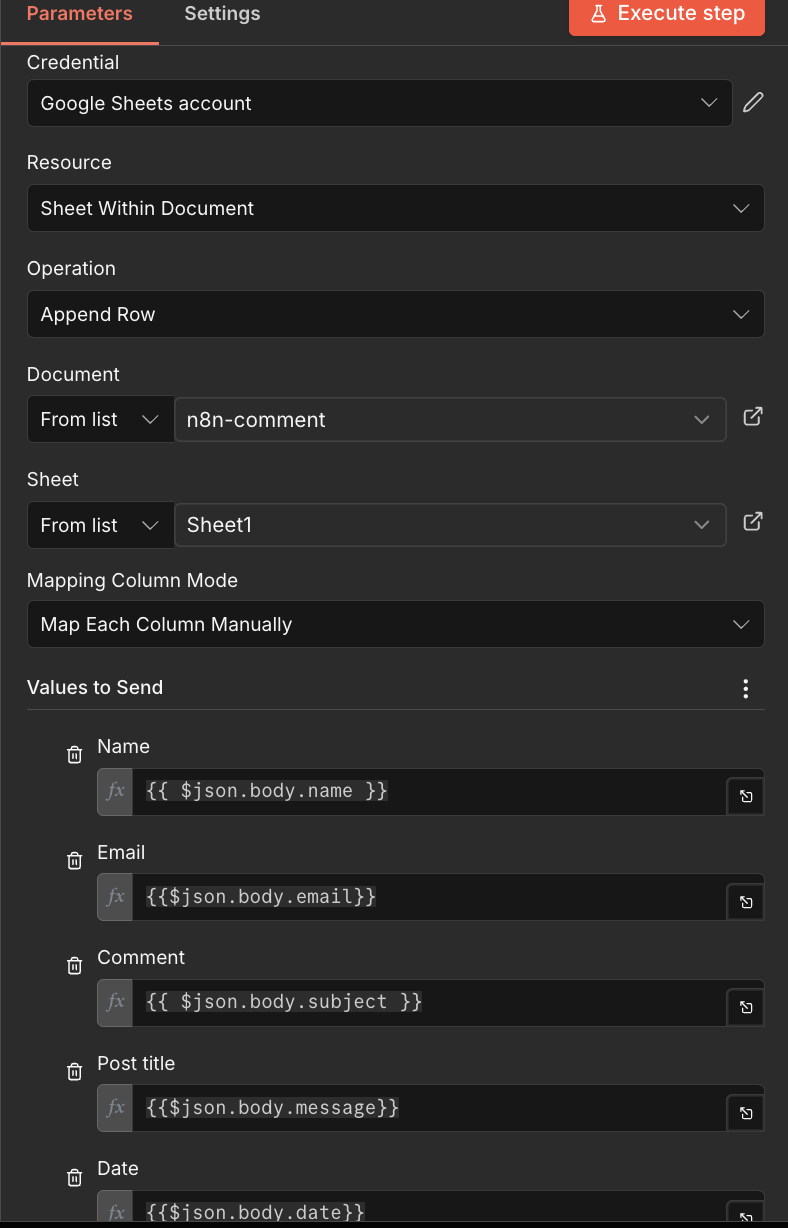
For both Send a Message and Append row in sheet I had to enable the API’s for google drive and google sheet.

 All About Basic