Today I will like you to share another common problem which many blogger faces.
I have found many blogger who are habituated to do blogging in wordpress face this problem. Recently one of my blog visitor has faced this problem. When I visited her site I found “Comments have been colosed” is showing in her blog post.
So, I have searched the problem in google and found the solution after several trial and error.
Here is the solution… Just try to follow the steps. Details steps of checking are given below.
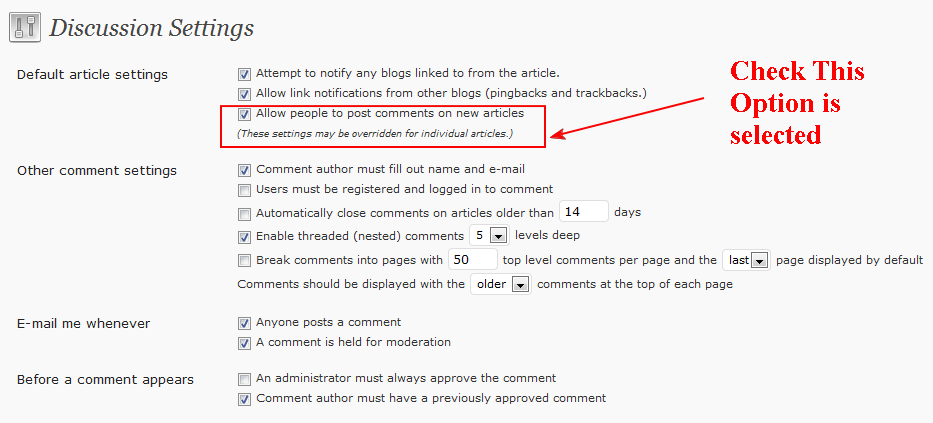
Step 1. Login to your wordpress Dashboard. Go to “Settings–> Discussion” and check “Allow people to post comments on new articles” are selected. See the image below.(Click the image to view large).
Step 2 : Now Go to your Post Editor or (check the post where the problem is showing) and Check the following. “Allow comments” for the post need to be selected according to the image given below.(Click the image to view large).
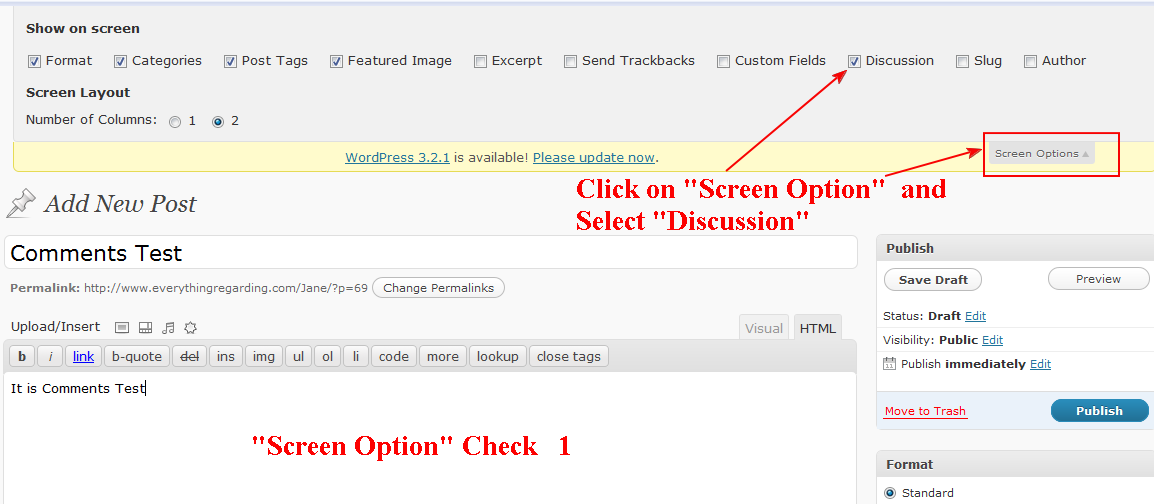
Next (Click the image to view large).

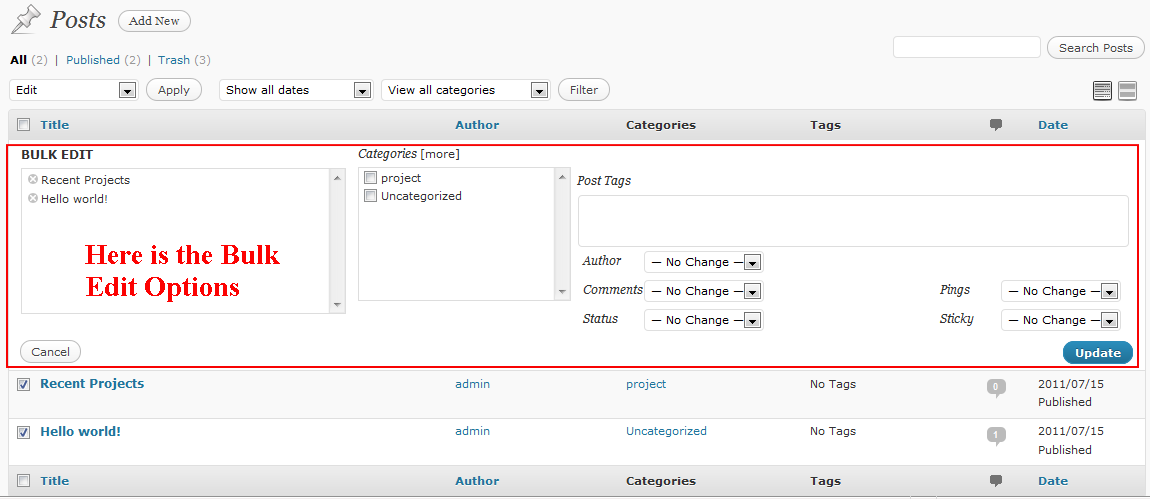
3. If the problem till remains. Go To “Posts –>Posts” . Select All of the posts . From the “Bulk action” drop down menu select “Edit” and press the “Apply” button. Check the image below.(Click the image to view large).

After pressing the “Apply” button the following window will arrive.(Click the image to view large).
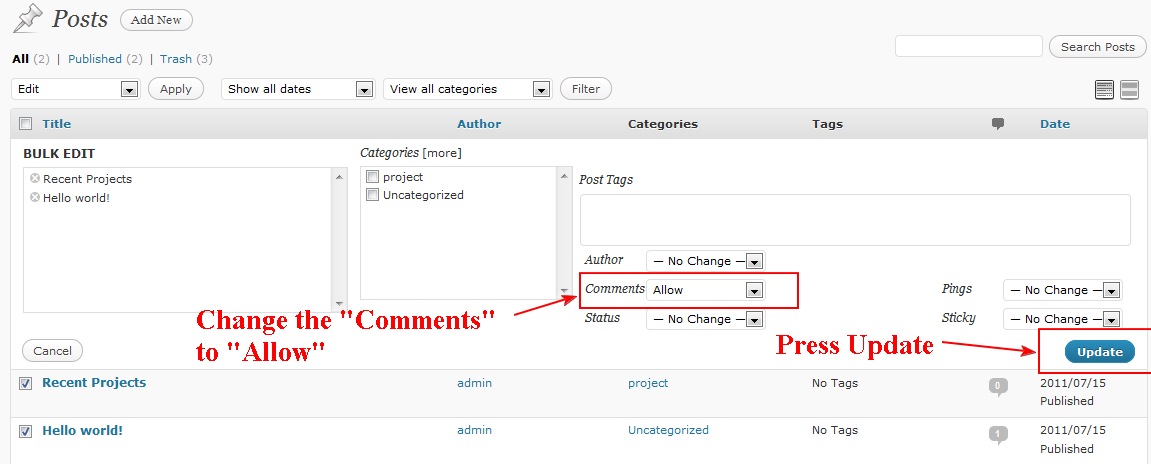
Now Make the “Comments” “Allow” from the drop down menu. And then press “Update” button.
Yes… You are done… :)

 All About Basic