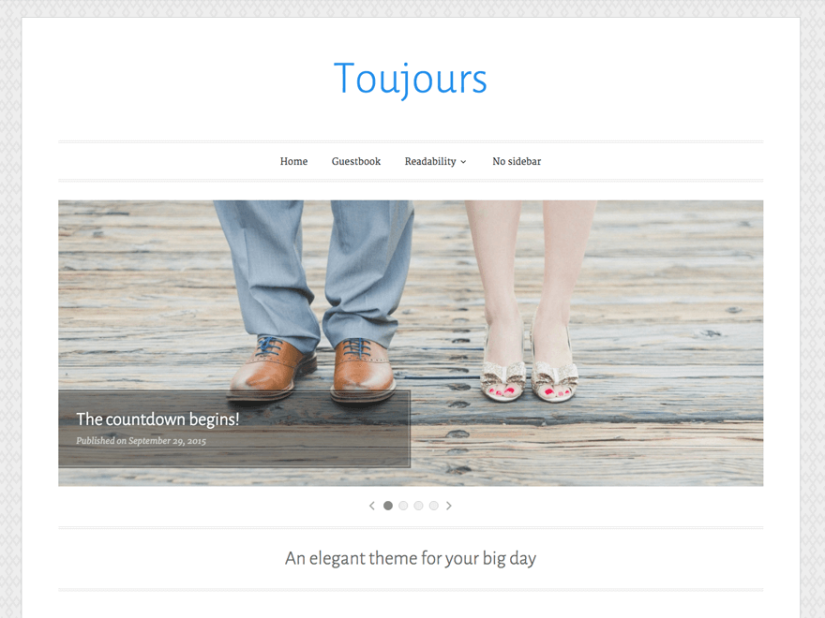
Toujours has a simple, elegant design that’s perfect for planning and sharing moments from your wedding. The theme highlights your content with a slideshow, large featured images, and a unique layout for recent posts.
Download Toujours theme by Automattic to create your own wedding / blogging website.
Download Toujours theme by Automattic Child Theme to modify the theme without touch the parent theme.
Here i am sharing some customization of Toujours theme. So You can use my shared code and ask question in the comments section.
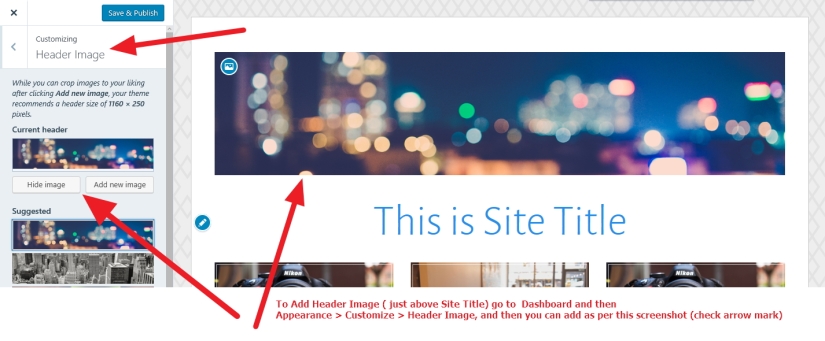
** How to add header image just above the Site Title
Answer: Please check the screenshot
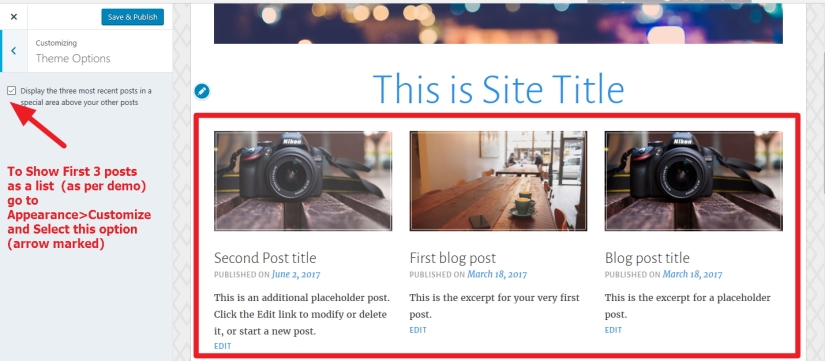
*** how to show three image side by side just above the blog posts in homepage
*** If you don’t want to show Post date and comments below the post title?
.entry-header .entry-meta {
display: none;
}
*** To change Post title Uppercase to normal, font family , color change and font size change
h2.entry-title, h2.entry-title a {
font-size: 26px;
font-weight: 500;
text-transform: none !important;
letter-spacing: 0.05em;
font-family: cursive;
}
*** To change post content section font family, color and font size
.entry-content {
font-family: cursive;
font-size: 21px;
color: black !important;
}
*** If you want to implement whole body / site font color, font size and font family
body, button, input, select, textarea {
color: #404040;
font-family: “Merriweather”, Georgia, “Times New Roman”, serif;
font-size: 17px;
font-weight: 400;
line-height: 1.8;
}
*** How to change font size , color and font family of Contiune Reading
a.more-link {
color: darkred !important;
font-size: 16px;
font-family: cursive;
text-decoration: none;
}
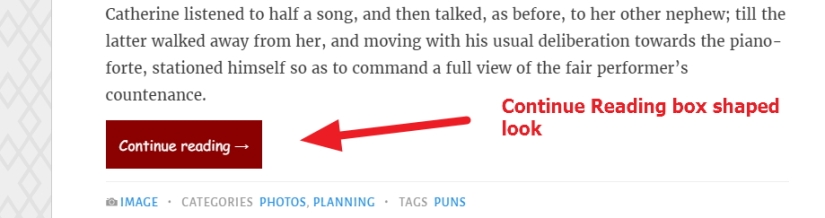
To give Continue Reading -> different look (box shaped)
a.more-link {
color: white;
font-size: 16px;
font-family: cursive;
text-decoration: none;
padding: 2%;
background: darkred;
}
** How to change Site Title font color, font size and font family
.site-title a {
color: darkred;
font-size: 36px !important;
font-family: cursive;
}
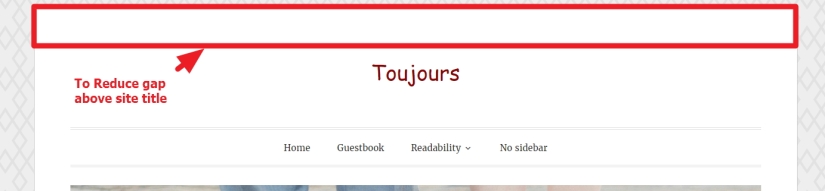
*** To Reduce gap just above the site title
#page {
padding-top: 0px !important;
}
and
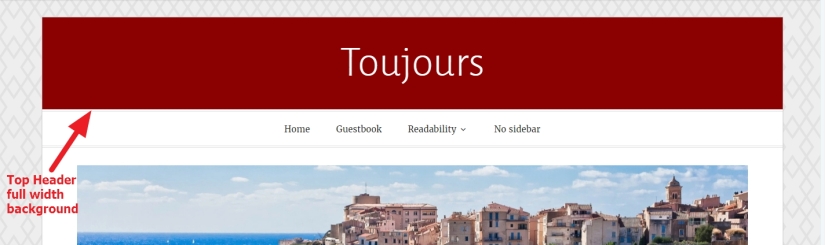
To give the top header a different look
header#masthead .wrap {
margin-left: 0px !important;
margin-right: 0px !important;
background: darkred !important;
}
.main-navigation {
background: white !important;
margin-top: 0px !important;
}
.site-title a {
color: white !important;
}
.site-branding {
padding: 3% !important;
}
*** If you want to change footer background to be different background
#footer-widgets, #colophon {
background-color: darkred;
}
*** To change footer social icons color
.jetpack-social-navigation-genericons a:before {
color: white !important;
}
*** How to change footer social links address
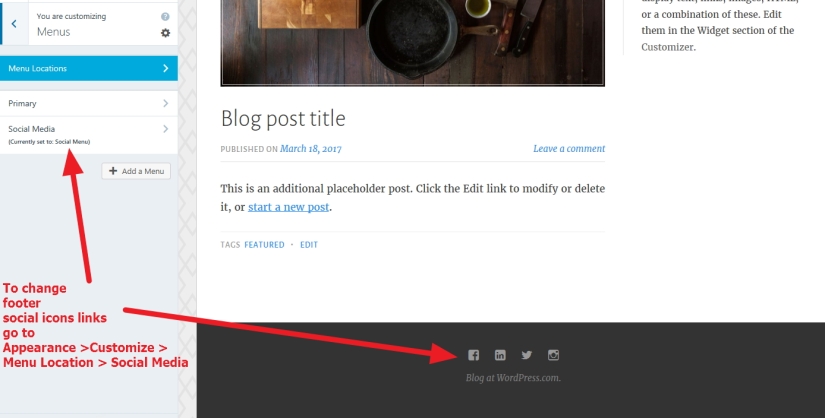
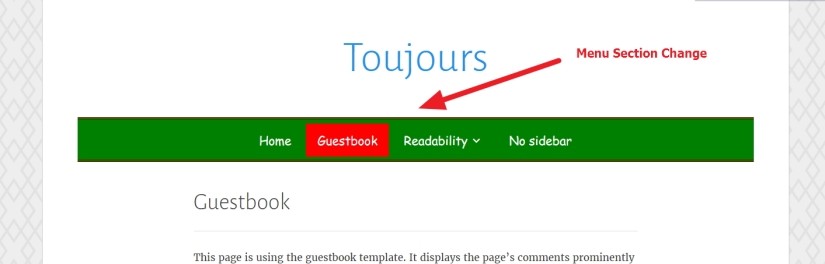
****** Menu Section Change ******
*** How to change menu background color, top and bottom border color showing in menu
.main-navigation {
border-bottom: 4px double darkred;
border-top: 4px double darkred;
background: green;
}
*** To change the menu font color (parent menu),font family and size
ul#primary-menu > li > a {
color: white;
font-family: cursive;
font-size: 21px;
}
*** To make the Selected menu different color or different background color
li.current-menu-item a {
background: red;
color: white;
}
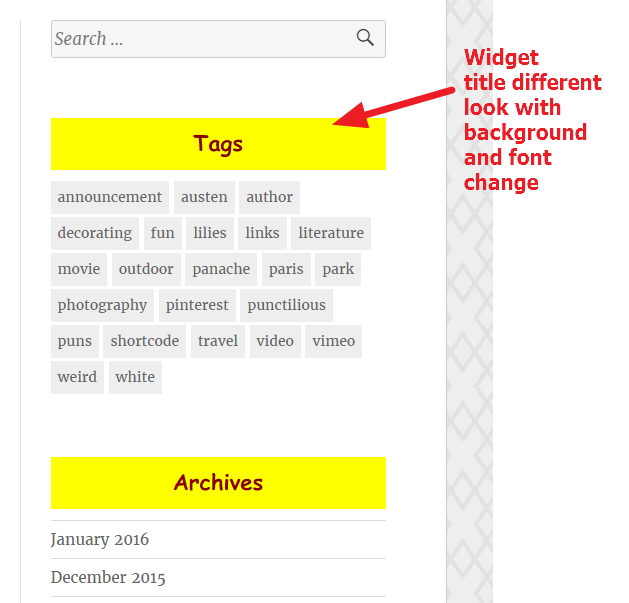
*** To give widget title a different look with your own font, background color, font size and more
.widget h3 {
font-size: 22px;
color: darkred !important;
font-weight: bold;
text-align: center;
background: yellow;
padding-top: 11px;
margin-bottom: 11px;
font-family: cursive;
}
*** To change links in widget section’s font color, font size and font family
.widget li a {
color: darkred !important;
font-size: 16px;
font-family: cursive;
}
If you have any issue feel free to ask me question here in comments section

 All About Basic
Hello,
I’m use the thème “toujours” bit i don’t have in the theme option the chek box Display a thin inset border on featured images … do you know why ? Can you help me … i need to have a slide zone on may website :-)
Thanks
LikeLike
HI,
are you using wordpress.com free plan?
let me know
Om
LikeLike
No, I see the option on a wordpress.com free plan.
My association choose to install our website in another place (ovh), so i choose the toujours theme but the look (and the option) are not the same that with wordpress.com.
So my need is to have the same look and option that wordpress.com but in another place.
Sorry my english is very poor
LikeLike
i prefer you install jetpack and connect it to your wordpress.com account
Om
LikeLike
I install jetpack on my “ovh blog” …
I connect to wordpress.com …
But i still do not have the option for the slider in the header, and the font for the site is not the same :-(
LikeLike
Umm… would u mind to communicate me in my Personal Help profile please?
LikeLike
Yess … but i don’t know how i can do that !!!
LikeLike
Thank for your help, it’s work now.
Just another question, what is the best size for image in slider ?
Sandrine
LikeLike
Goodmorning
it should be 1160px (width) and 600px (height)
Om
LikeLike
Hey:)
Is there a chance, that I can place my logo inside my navigation bar???
Many thanks and wish you a lovely sunday :)
LikeLike
Hi
let me check
share me the site url to check
Om
LikeLike
Thanks for your guide, it’s been really helpful in reducing the whitespace above the logo on my website. However, perhaps you can help? I’m trying to reduce the white space under my clickable logo, but above the menu and I’m struggling. I’ve used CSS Peeper to find out the names of the areas, but nothing I try works and the white space remains. Any ideas? My site is https://travelvixta.com/
LikeLike
Hi Victoria
would you mind to try this and let me know please?
nav#site-navigation {
margin-top: 0px !important;
}
Regards
LikeLiked by 1 person
Amazing thank you, yes it’s #site-navigation that I needed… perfect :)
LikeLike
Pleasure Victoria,
nice to know it helped
Kind Regards
LikeLiked by 1 person