Here I am sharing you how you can protect your site and contact form 7 from spam mail.
Step 1: In your Dashboard, go to Contact > Integration as per the screenshot


Step 2: Please Go to this link https://www.google.com/recaptcha/about/ You need to login to your Gmail for this.
Click On V3 Admin Console

Step 3: Click on this + Symbol

Step 4: Fill Up the information


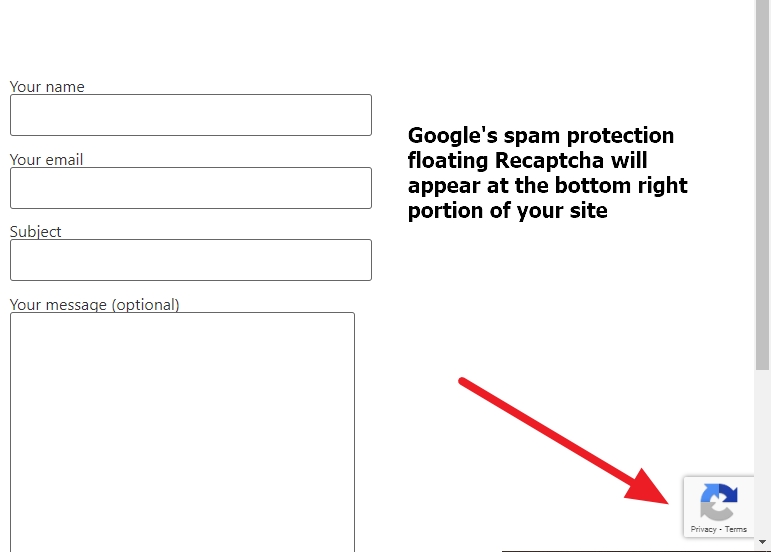
Done— Google Spam Protection Floating Recaptcha will appear at the bottom right portion of your site, and your site is now protected from spam mail

 All About Basic
Are you still with us?
LikeLike
Hi Neal
yes
Regards
Om
LikeLike
Can you please contact me via my email address?
LikeLike
ok share me your mail address Neal
LikeLike
nealumphred@hotmail.com
LikeLike
Mail sent Neal
LikeLike
Any idea on how to change the page numbers at the bottom of WordPress Twenty Fourteen from H1 to H2? Cannot find it in any of the main theme files. Thanks.
LikeLike
Hi Jay
would you mind to share me your site url to check please?
Regards
Om
LikeLike
Hi, I do not want to post my site here, but see the below first link’s bottom row of page numbers for example. The page numbers are all set to by default, which is bad for SEO.
https://www.themedetect.com/Theme/Twenty-Fourteen
LikeLike
In mine the page number list in the footer region is all H1s (and that is the default setting in many older themes, including twenty fourteen). Just want to know which file to change in this particular theme to convert to H2. Might email you if you know which code file to modify.
LikeLike
based on the 2014 theme link u shared, check this page
\twentyfourteen\inc\template-tags.php
at line 91
though without checking your original site it is not a good way to provide any solution, but i prefer u check this file first
Regards
Om
LikeLike
Thanks so much for trying! There is no H1 (or any Hs) in that file. All SEO plugins tell me that this WordPress theme lists the page numbers (as well as Categories menu and Archives menu) in H1 and that is bad. May email you.
LikeLike
ok no problem
LikeLike
Everything worked per your advice via e-mail! It was 6 changes (12, if you count closing header tags) in 3 files that you recommended.
I would have never found all those by myself.
Thanks a lot.
LikeLike