Web Development & WordPress

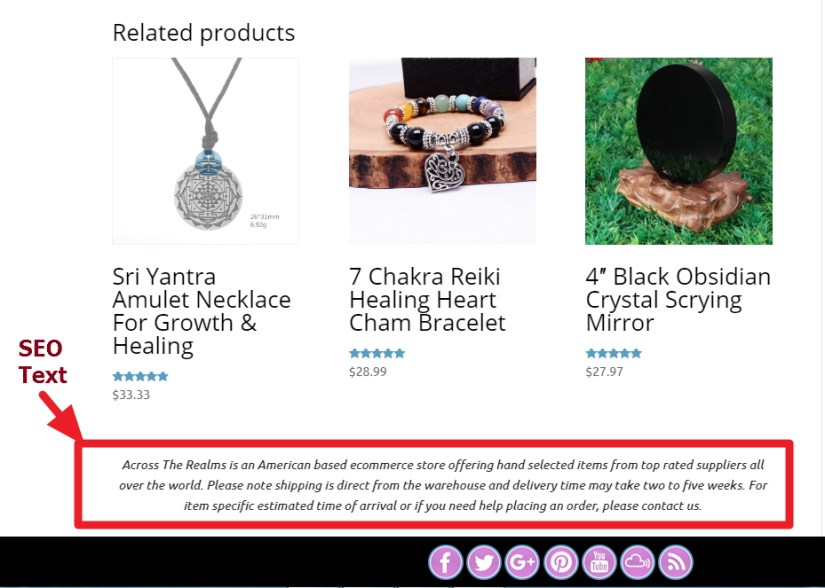
Add SEO text just after the related product in woocommerce product page

SEO Text After Related Product Woocommerce

Here is another short tips using which you can add some sort of SEO text (basically to boost your sales) just after the Related Products in woocommerce single product page. Put the following code as per the direction I mentioned below. If you face any issue feel free to let me know in comments section

/*********** this code will go in your theme’s function.php ***********/

add_filter( 'woocommerce_after_single_product','opc' );
    function opc() {
		echo  '<div id="opct"> YOUR SEO TEXT WILL GO HERE </div>';
	}

/*********** this code will go in your theme’s custom css part ***********/

div#opct {
    font-style: italic!important;
    text-align: center;
 }
Web Development & WordPress

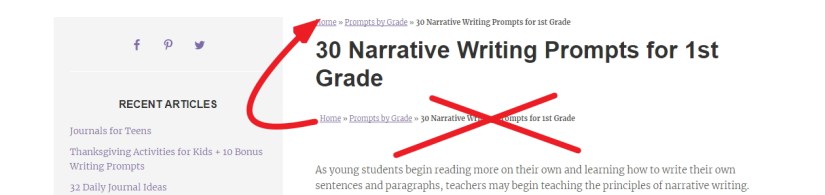
Genesis Reposition Breadcrumb: move it before post content to above post title

reposition breadcrumb in genesis theme

This is a short tips, which i solved for one of my client where she asked me to reposition the breadcrumb. In her site the breadcrumb was showing just before content, but she wanted to move it just above the post title. Here is the code, just you need to put in function.php of your genesis theme to achieve the result.

remove_action( 'genesis_before_entry_content', 'genesis_do_breadcrumbs' );

add_action( 'genesis_entry_header', 'genesis_do_breadcrumbs', 9 );
Web Development & WordPress

Dyad 2 By Automattic : Modifications, Support and documentations

dyad2 by Automattic documentation and tutorials

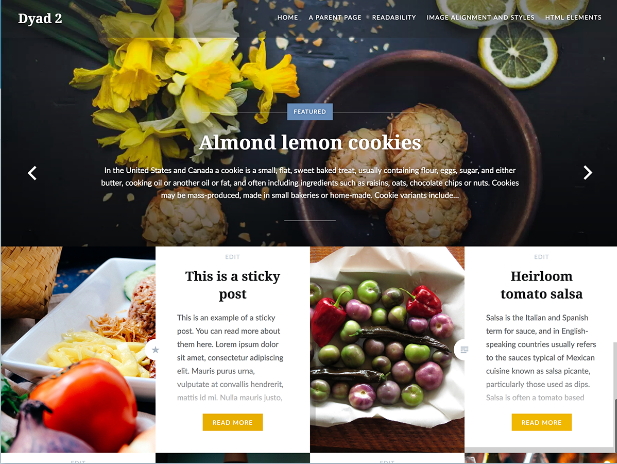
Dyad pairs your written content and images together in perfect balance. The theme is geared towards photographers, foodies, artists, and anyone who is looking for a strong photographic presence on their website. You can check Demo of Dyad 2 by Automattic.

If you are using wordpress.com business plan or want to use the dyad2 theme in your hosting you can download the parent and child theme from below links

Dyad 2 By Automattic  Theme Download
You can ask question regarding any issue you are facing.

Continue reading “Dyad 2 By Automattic : Modifications, Support and documentations”

Web Development & WordPress

Javascript Code to redirect mobile site depending on screen width: For WordPress or HTML sites

Here is a short piece of code which can help you to redirect your html, wordpress or other site to redirect to additional mobile site while visiting your site from smaller screen (like mobile, tablet,tab etc)

*** if you want to use this code, change the “screen.width” and “YOUR MOBILE SITE URL” value as per your requirement.

<script type="text/javascript">
if(window.location.hash != '#mobile=off') {
if (screen.width <= 1023) {
document.location =
"YOUR MOBILE SITE URL";
}
}
</script>
Web Development & WordPress

Rosalie By SiloCreativo : Modification of header, footer, borders, backgrounds, fonts,contents, colors and more

Rosalie is an elegant, minimalistic and responsive modern WordPress theme built specifically for bloggers who love craft, lifestyle, fashion and generally are cool people. Designed for WordPress.com. You can check Roaslie by Silo Creative theme demo.  Here I am sharing you some css customization which you can use to give your site a new look. The theme comes free with wordpress.com premium plan and business plan.  You can ask question regarding any issue you are facing.

wordpress theme rosalie modifications documentation support customization css help

Continue reading “Rosalie By SiloCreativo : Modification of header, footer, borders, backgrounds, fonts,contents, colors and more”

Web Development & WordPress

WordPress theme Cubic by Automattic : CSS Documentation

Cubic theme customization

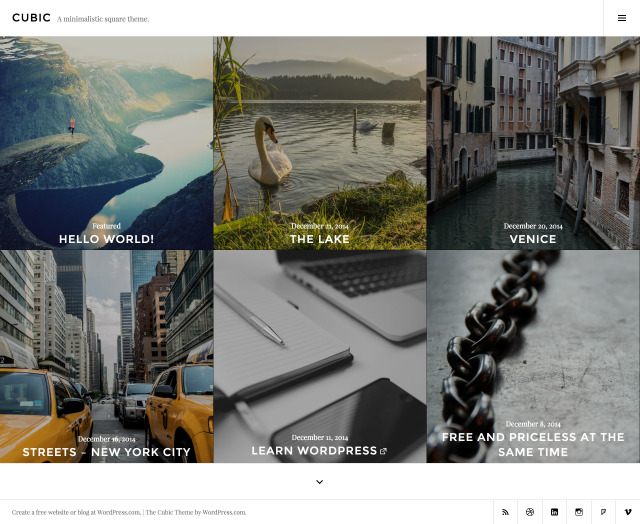
Cubic, a single-column, grid-based theme with large featured images, perfect for photoblogging.  Though  I shared customization of   WordPress theme Photography by The Theme Foundry Photographer By Organic Themes  which are also great for photography or photoblogging. Now I am sharing the modifications of Cubic theme by Automattic.

Cubic Theme by Automattic zip download
You can use my shared css code or can ask question in the comments section.

Continue reading “WordPress theme Cubic by Automattic : CSS Documentation”

Web Development & WordPress

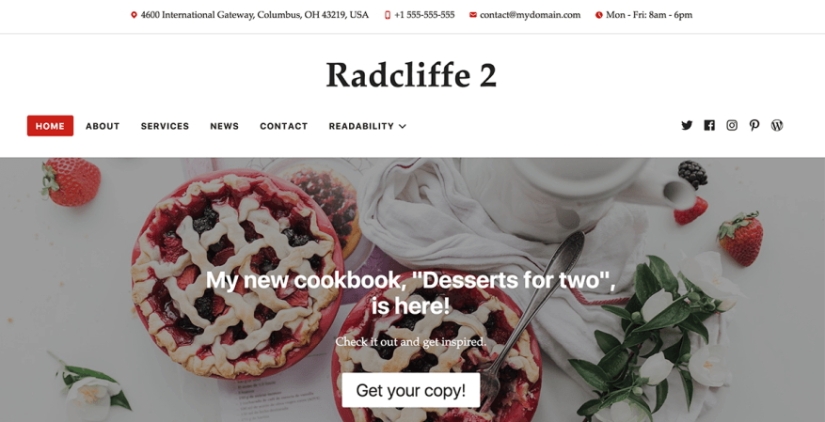
Radcliffe 2 By Anders Norén :CSS Modifications

Radcliffe 2 By Anders NorénAnders Norén is the creator of Baskerville 2 and Radcliffe 2 wordpress theme. Radcliffe 2 is a theme for bloggers who want their content to take center stage. It comes free with wordpress.com. Though I am sharing you the zip of  Radcliffe 2 theme along with child theme which you can download from here and also I am sharing  here some CSS customization using which you can use to make your site beautiful or to give some extra touch of your wish.

Download Radcliffe 2 By Anders Norén Main / Parent theme

Download Radcliffe 2 By Anders Norén Child theme

Continue reading “Radcliffe 2 By Anders Norén :CSS Modifications”

Web Development & WordPress

WordPress simple text rotator

wordpress text rotatorOne of my client asked to add a text rotator in her site. I searched for plugins for that but didn’t appropriate free plugins for that. At last i got a piece of jquery code which at last I used to make the work done.

The code has two (2) parts.

1. Jquery code which you can put either in your theme’s header.php or in theme option (if your theme provides option to add script)

2. The HTML and Text portion, which you can put in any portion of your site where you want to show the text rotator.

Here I am sharing you the code.

If you have any issue feel free to let me know in comments section

/***************** First Part Jquery code ***************** /

https://code.jquery.com/jquery-3.6.4.js

<script>
$(document).ready(function() {
var items = $(‘#rotate div’);
var currentItem = 0;
var nextItem = 1;

items.hide();
items.eq(currentItem).show();

setInterval(function() {
items.eq(currentItem).fadeOut(500, function() {
items.eq(nextItem).fadeIn(500);
currentItem = nextItem;
nextItem = (nextItem + 1) % items.length;
});
}, 2000);
});
</script>


/***************** Second Part HTML and Text ***************** /

<div id="rotate"> 
<div style="display: block; opacity: 0.90557;"> 
This is first text to rotate. 
</div> 
<div style="display: none;" class="red"> 
This is second text to rotate. 
</div> 
</div>
Web Development & WordPress

Make Woocommerce single product page image round shape with border

woocommerce single product page image round shape with border


This is a simple css trick to make your woocommerce single product page to be round shape with a border. Use the code below in your  custom css portion.

If you face any issue feel free to take help in the comments section.


.woocommerce-product-gallery__image img {

border-bottom-left-radius: 50% 50% !important;
border-top-left-radius: 50% 50% !important;
border-top-right-radius: 50% 50%;
border-bottom-right-radius: 50% 50%;
border-bottom-left-radius: 50% 50% !important;
height:382px !IMPORTANT;
border: 5px solid #f5f5f5 !important;
}

.woocommerce-product-gallery__image {
width: 382px !IMPORTANT;

}

.woocommerce div.product div.images li img {
border: none !important;
transition: opacity .5s ease;
border-radius: none !important;
height: auto !important;
}