If you want to create a Yoga based site with free wordpress theme you can check this post, i have shared the basic setup guid with some css modification
So I tried to create a small automation where I get WordPress post comments directly in my WhatsApp messages whenever anyone comments on any of my WordPress blog posts.
I used a Webhook and an HTTP Request node. As I understood it, the Webhook is a listener/receiver that receives data. When a comment is made on my WordPress site, the comment is sent to the Webhook using this code:
My Client was using shopify store and she faced a frustrating issue. She was trying to send order directly to customers, but when customers was trying to fill in the details and tried to pay, the checkout page was showing some Validation issue because customer is directly using checkout page without giving some information which was necessary in Cart page/ Product page.
I was using wordpress-ubuntu-s-1vcpu-1gb-blr1-01 ( WordPress on Ubuntu 1 vcpu, 1 gb ram) using digitalocean droplet.
Though i am new of using DigitalOcean droplet, i am much familiar with Cpanel type hosting, where i managed files and databases by own. But in DigitalOcean wordpress droplet I didnt get such option.
If you are using Contact Form 7 in WordPress and want users to upload files securely, you can easily configure allowed file types and maximum upload size using the file tag.
For example, something like this:
Here is the code which you need to use in Contact Form 7
Sometimes you may have long text content in Elementor that you don’t want to show all at once. Showing too much text can negatively affect user experience and page readability.
A simple solution is to use a View More / View Less button that allows visitors to expand or collapse additional content when needed.
Here I have shared how to add a View More / View Less toggle in Elementor Text Editor using HTML, CSS, and a small PHP snippet—without installing any extra Elementor addons.
A Call To Action (CTA) is one of the most important elements of a website. It helps guide visitors to take action—such as clicking a button, learning more about your service, or contacting you. WordPress makes this easy using Gutenberg Block Patterns.
Here I am sharing you how to add a Call To Action section in WordPress using the Gutenberg editor, step by step.
if you’re looking for a lightweight, fast, and JavaScript-free logo slider, you’re in the right place. Here I am sharing how to create a smooth infinite scrolling CSS slider using only HTML and CSS—perfect for:
Static HTML websites
WordPress (Elementor, Gutenberg, Custom HTML block)
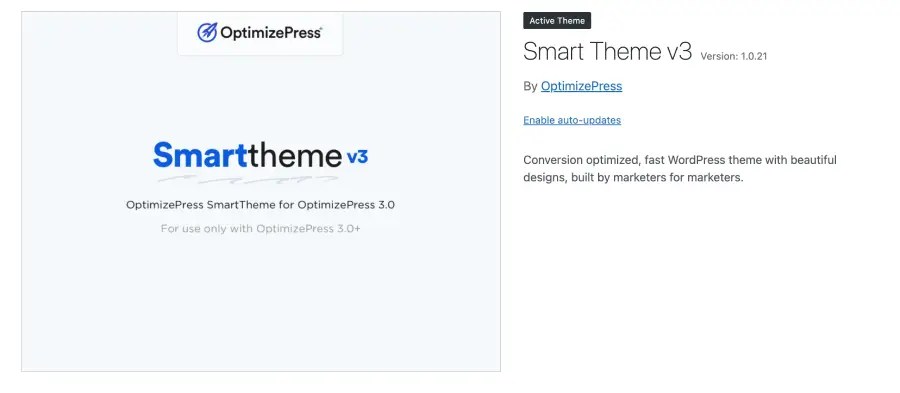
If you are using Smart Theme v3 by OptimizePress, you may have noticed that there is no built-in option to automatically show your latest blog posts at the end of every article.
In this guide, I will show you exactly how to add a “Latest Articles” section at the bottom of each blog post using a simple PHP function. No plugin is required (except Code Snippets if you don’t use a child theme).
The WordPress 2025 default theme (Twenty Twenty-Five) is fully block-based and powered entirely by the Gutenberg Site Editor. Unlike classic themes, you can now customize every part of your website—including the footer—using block patterns, template parts, and visual editing tools.
If you’re new to WordPress block themes, editing the footer may feel confusing at first. In this guide, I’ll walk you through the exact steps (with screenshots) to locate, edit, replace, or recreate the footer using the full site editor.
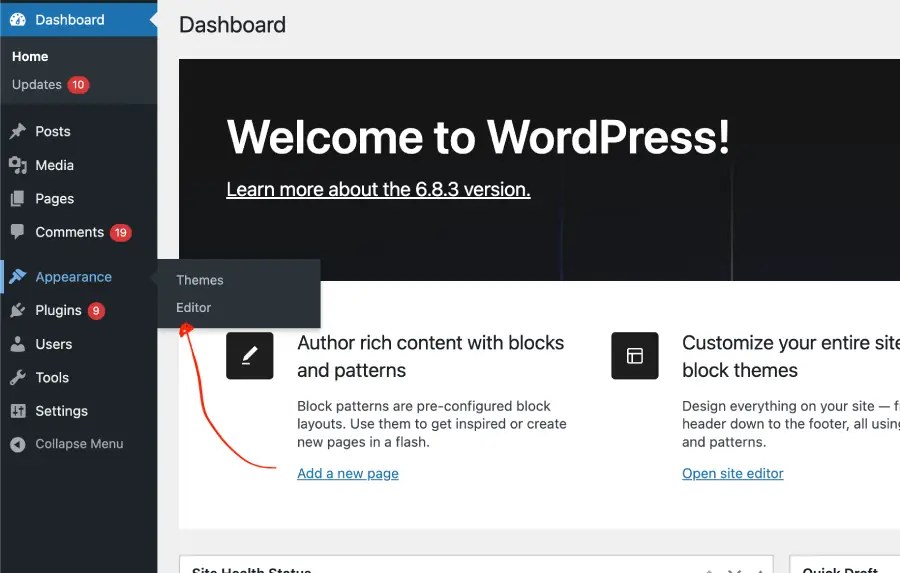
Step 1: Open the Site Editor
From your WordPress dashboard:
Go to Appearance → Editor
This will open the Full Site Editing (FSE) interface.
Your screen should look like the design panel shown in your screenshots.