The WordPress 2025 default theme (Twenty Twenty-Five) is fully block-based and powered entirely by the Gutenberg Site Editor. Unlike classic themes, you can now customize every part of your website—including the footer—using block patterns, template parts, and visual editing tools.
If you’re new to WordPress block themes, editing the footer may feel confusing at first. In this guide, I’ll walk you through the exact steps (with screenshots) to locate, edit, replace, or recreate the footer using the full site editor.
Step 1: Open the Site Editor
From your WordPress dashboard:
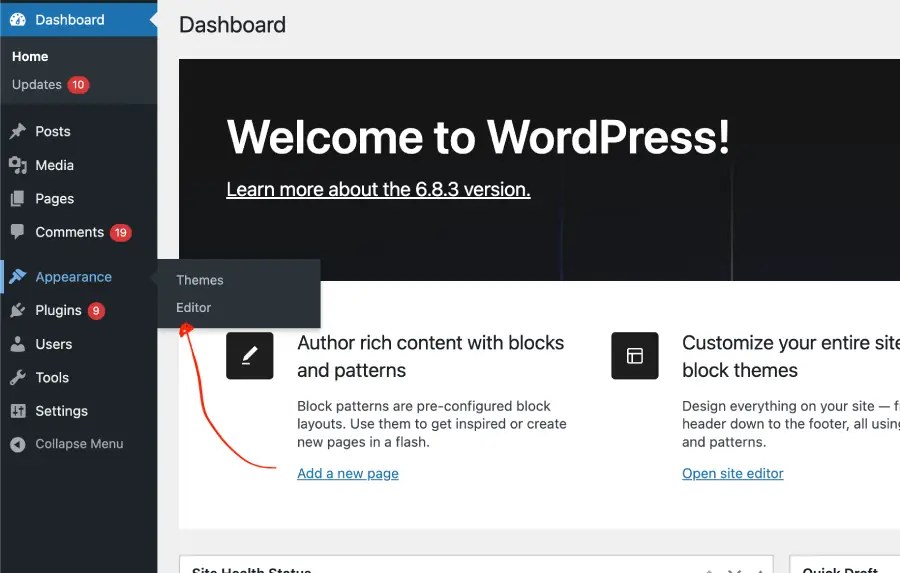
- Go to Appearance → Editor
- This will open the Full Site Editing (FSE) interface.
Your screen should look like the design panel shown in your screenshots.